
 Old Ground
The metal detecting app for iPhone
Know the ground before you dig.
Tap any spot on the map and see what used to be there: old towns, schools, churches, railroads, and the century-old maps that show them. Then check the land and the law, identify what you dig, and keep a record of every find.
Coming soon to theApp StoreFor iPhone. Free to download, with an optional Pro subscription.
Place History · Pro
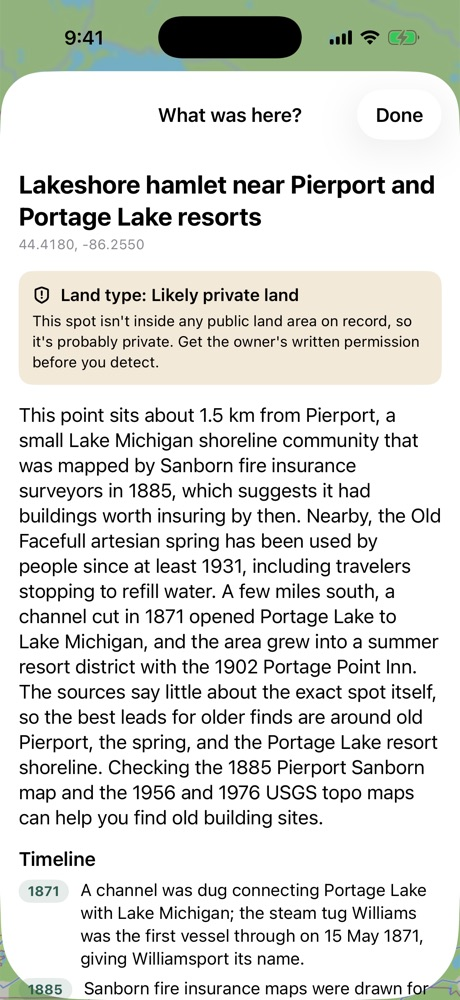
What was here 100 years ago?
Pick a spot and Old Ground pulls together public records: Wikipedia and Wikidata history, abandoned railroads, old cemeteries, schools and churches, old mines and prospects, Sanborn fire insurance maps for nearly 10,000 towns, and historical USGS topo maps. You get a short, readable summary and a timeline, with a link to every source so you can dig deeper.
Every report also checks the land. It tells you whether a spot looks like federal, state, local, or private land, and what that means before you swing a detector there. Cemeteries are always flagged as off limits.
Turn on the mines layer to see old mines, prospects, and mineral sites right on the map, with what they produced and when. Old mines often mean old camps, roads, and the people who lived around them.
Open the lidar view to see the bare ground around any spot with the trees stripped away. Old roadbeds, foundations, cellar holes, and rail grades show up as shapes nature doesn’t make.
Identify · Pro
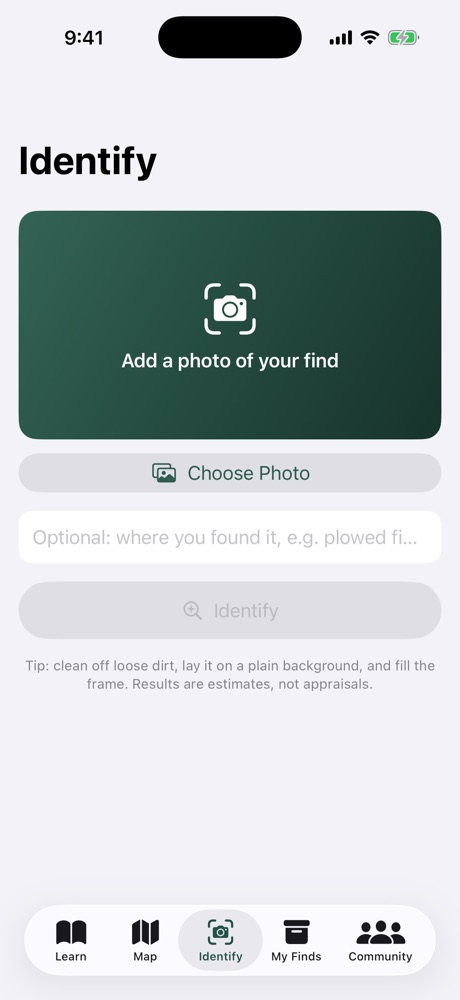
What did I just dig up?
Snap a photo of a coin, button, buckle, or relic and get a likely identification, a rough age, and what to look for to confirm it, like dates, mint marks, or maker’s marks. Save it straight to your finds.
My Finds · Free
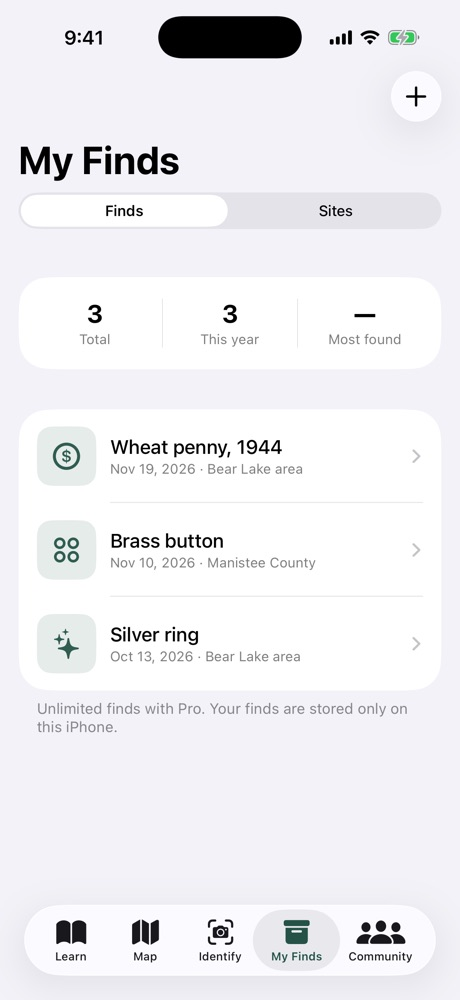
A logbook for everything you dig
Record each find with photos, the date, the area, depth, and which detector and coil you used. See your totals at a glance. Your finds stay on your iPhone, and photos are saved without hidden location data, so your spots stay yours.
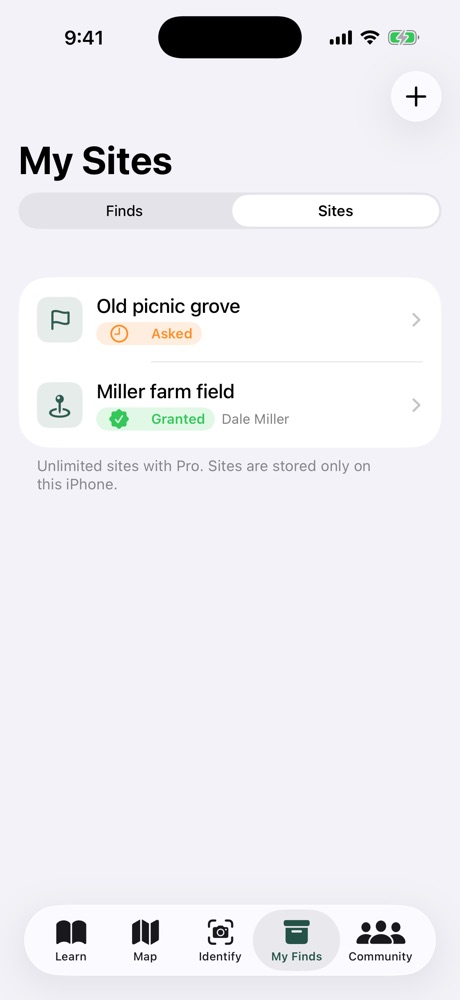
My Sites · Free
Ask permission the right way
Save the places you want to hunt and track where you stand with each landowner: asked, granted, or denied. Old Ground writes a polite permission letter you can text, email, or print and leave at the door.
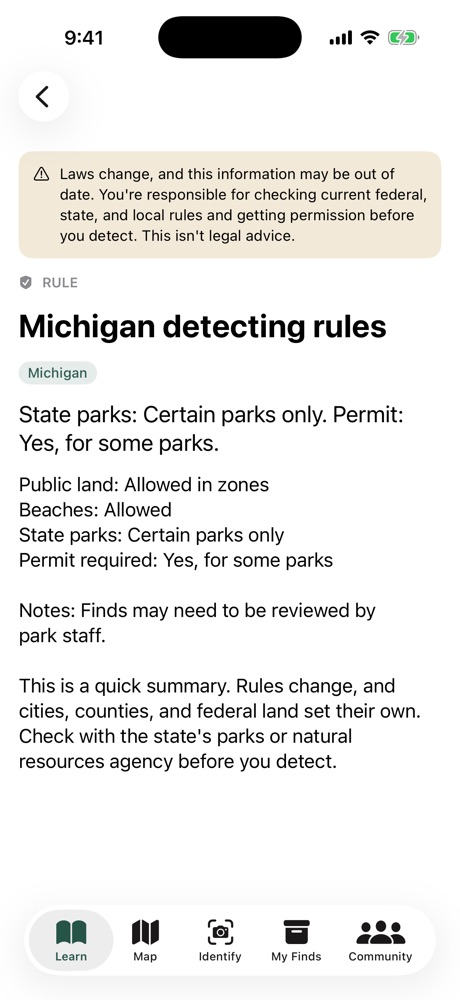
Learn · Free
The rules for your state, up front
A quick guide to detecting rules for all 50 states, covering public land, beaches, state parks, and permits, with your home state shown first. Plus how-to videos, suggested reading, and tips for cleaning and caring for what you find.
Every fact has a source
History reports link back to the records they came from, so you can check them yourself.
No account needed
No sign-up, no ads, no tracking. Your finds and spots are stored on your phone.
Made by a detectorist
Built in Pierport, Michigan, by a metal detectorist, for metal detectorists.
Free to start. Pro when you’re ready.
Free
$0
- Try 3 history reports and 3 photo IDs
- Detecting rules for all 50 states
- Videos, books, and guides
- Up to 25 finds and 3 sites
- Permission letters
Old Ground Pro
$29.99/year
or $4.99 a month
- Everything in Free
- Place History and land check
- Old mines map layer
- Lidar bare-earth view of any spot
- Identify finds from a photo
- 25 history reports and 25 IDs a month
- Unlimited finds and sites
Coming soon to the App Store
Old Ground is in final testing. Check back soon.
Laws change. Always check current rules and get permission before you detect.
Support · Privacy Policy · © 2026 Phil Szanto